Tattoo Simulator — See It On Your Skin
A tattoo simulator — also searched as virtual tattoo try-on — is a try-before-you-ink tool: it places a design on a photo of your own body so you can judge size and placement before committing. InkPreview's is free and online — no app, no sign-up. Upload one photo, and the design blends with your skin tone, lighting and curves in seconds.
Drop your photo here
Drag and drop or click to upload. JPG, PNG, HEIC up to 10MB.
Avoid including your face for privacy.
AI-generated reference. Consult a professional tattoo artist before inking. AI previews are approximations. Actual results depend on your artist's technique, ink, skin type, and placement.
Drag to Compare
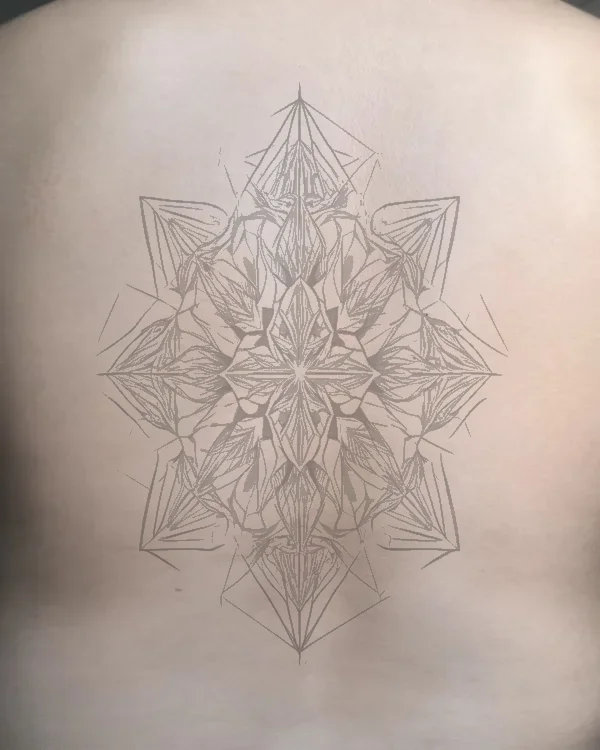
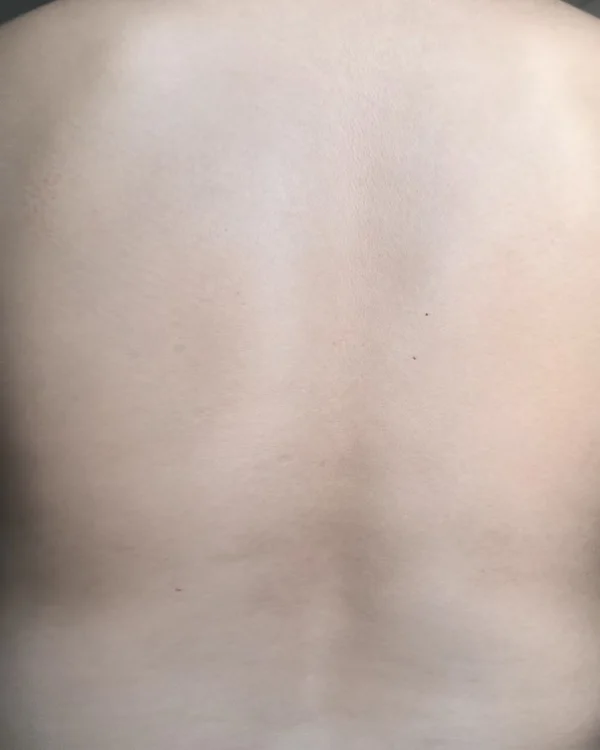
← Clean Skin | Tattoo Preview →
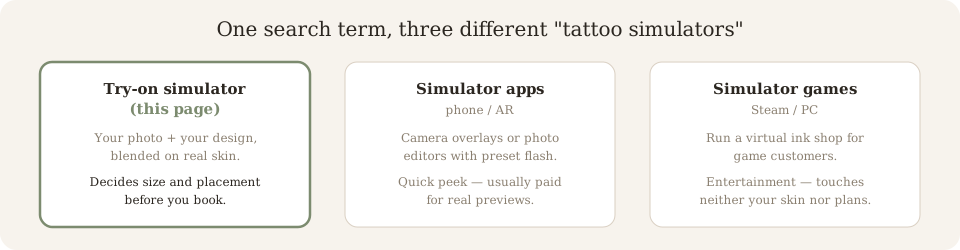
“Tattoo Simulator” Is Three Different Things
Search suggestions for this term mix three products that have nothing in common. Knowing which one you actually want saves you from installing the wrong one.
1. Try-on simulator (this page)
Takes your photo and your design, and blends them. You judge size, placement and how the ink reads on your skin. Runs in the browser — free, no app. If you don't have a design yet, start with the AI tattoo generator and bring it here. What a preview can and cannot settle is spelled out in the tattoo preview guide.
Use it when: you're about to book a session.
2. Simulator apps (AR / photo editors)
Phone apps that either live-overlay ink through your camera (AR) or paste designs onto photos as an editor. Fine for quick play; most lock real previews behind a subscription and process preset flash, not custom work.
Use it when: you just want a phone-camera peek.
3. Simulator games (Steam, etc.)
A paid PC title literally named Tattoo Simulator — you run a virtual ink shop for game customers. It's entertainment; nothing from it touches your body or your real design decisions.
Use it when: you want the game, not the tool.
Testing placement across body parts? Shortlist spots with the tattoo placement simulator chart, or open the placement pages for size references per spot, or jump straight back to the tattoo ideas hub for style-specific previews like dotwork tattoo designs that behave very differently once healed.
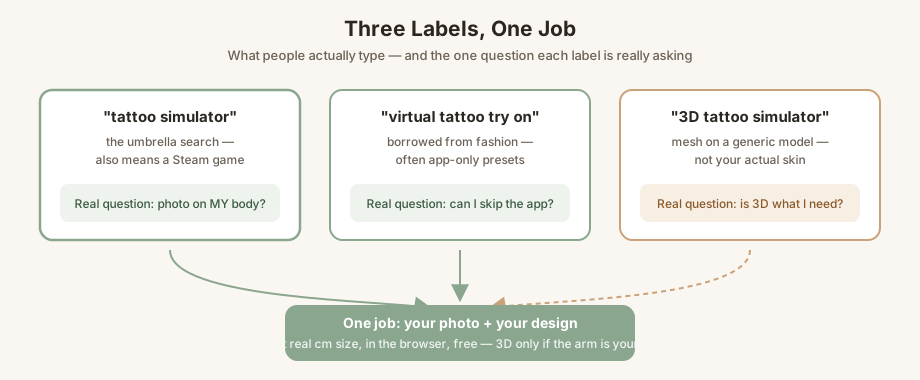
“Virtual”, “Try On”, “3D” — Three Labels, One Job
People reach this page under three different names, and each name smuggles in a different doubt. Answering the doubt — not the label — is what a simulator is for.
Virtual try-on
The phrase comes from shopping apps that paste presets on a stock model. The real question behind it is “can I do this without installing anything?” — here, yes: your own photo, in the browser, no app, no sign-up.
3D simulators
A true 3D engine drapes ink on a mesh of a generic body. Useful for rotation, useless for your arm in your lighting. Before trusting “3D” in a title, check one thing: does the tool upload your photo at all?
The job under all three names
Placement and real-world size — the two decisions people regret. Whether you call it a simulator, a virtual try-on or 3D, the test is the same: design on your photo, scaled in cm, blended into your skin. Our tattoo preview guide spells out what a preview can and cannot settle.
From Photo to Preview in Three Steps
Step 1 — Upload
Take a clear, well-lit photo of the area you're considering. Arm, leg, back, chest, ribs — any body part works.
Step 2 — Choose Your Design
Browse 20+ styles (geometric, Japanese, minimalist, realism, watercolor, blackwork), upload a reference image, or describe what you want and let AI generate it.
Step 3 — Preview & Adjust
Drag, resize, and rotate the tattoo on your photo. Adjust opacity and blend mode until it looks natural. Download or share with your artist.
Why Preview Before You Ink?
Avoid Tattoo Regret
Nearly 25% of people with tattoos regret at least one. A preview helps you see the design at the right size and placement before committing.
Communicate with Your Artist
Show your tattoo artist exactly what you want — size, placement, and style. A visual reference beats a verbal description every time.
What a Tattoo Simulator Cannot Show You
Honest limits beat hype: a preview is accurate about placement and size — the two decisions people actually regret. It cannot show you how ink ages. Fine lines spread a few microns under skin over years, saturated blacks soften, and high-contrast styles (stippled or dotwork tattoo work included) read differently at ten years than at ten seconds.
That's also why the on-body preview still matters: it fixes the mistakes a sketch on a screen can't — a wrist design too wide for your wrist, lettering that blurs at real size, or a sleeve gap you only see when your arm bends. Preview the placement, then let your artist tune the linework for longevity.
Ready to See Your Tattoo?
Upload one photo and preview any design on your body. Free, no sign-up required.
Try the Simulator FreeExplore More Tools
Tattoo Stencil Generator
Convert any image into a clean tattoo stencil outline. Perfect for artists and clients.
Tattoo Cover-up Designer
Design a cover-up for an existing tattoo. AI suggests patterns that work with your old ink.
AI-Generated Tattoo Gallery
Browse designs other people generated, then send any of them straight into the simulator.
Best AI Tattoo Generators, Compared
A no-brand scorecard by workflow stage — design, preview, stencil — to pick the right tool.
Frequently Asked Questions
What is a tattoo simulator?
A tattoo simulator is a try-before-you-ink tool: it places a design onto a photo of your own body and blends it with your skin tone, lighting and curves, so you can judge size and placement before anything becomes permanent.
Is the tattoo simulator really free?
Yes. You get 3 free previews per day with no account required. Pro plans start at $9.99/mo for 100 images.
What's the best free tattoo simulator online?
If you want a design placed on your own photo, pick a browser-based try-on tool — no install and no paywall just to preview. Ours runs in the browser free, and you can compare before committing to any app subscription.
Is there a 3D tattoo simulator?
Yes — but the phrase covers two different products. A true 3D simulator builds a mesh of a body and drapes ink on it (some apps rotate a generic model); a photo-based simulator maps your design onto a real photo of you. If what you want is your own arm in the picture, check that the tool uploads your photo before trusting the word "3D" in a title.
What's the best free tattoo simulator app?
Apps are convenient for a camera peek, but most lock previews behind a subscription and only offer preset flash. A browser-based simulator runs the same job on your phone without an install — try one before downloading anything.
Can I do a tattoo try on online without an app?
Yes — "tattoo try on", "virtual tattoo try on" and "tattoo simulator" are three labels for the same job: upload a photo of the area, place the design, resize, blend, download. No app, no sign-up, free in the browser.
Is there a tattoo simulator game on Steam?
Yes — a paid PC title literally called "Tattoo Simulator" on Steam. It runs an ink shop in a game world. This page is the other thing: a tool that puts real designs on real photos of you. Same words, different product.
How accurate is the AI tattoo preview?
The AI maps the design onto your skin using perspective and lighting adjustments. Results are for reference — always consult a licensed tattoo artist for the final design.
What photo should I upload?
Take a clear, well-lit photo of the body area you want to tattoo. Arms, legs, back, chest, and ribs all work. Avoid filters or heavy shadows.
Can I use my own tattoo design?
Yes. Upload any reference image, or describe what you want and the AI will generate a design for you.
Does it work on all skin tones?
Yes. The simulator adapts the tattoo overlay to match your skin tone and lighting conditions in the photo.
Can a simulator show tattoo removal results?
Not ours — this is an add-ink tool. Removal is a different simulation (how many laser sessions a design would likely need), and no photo preview can promise those numbers; only a laser technician's assessment can.
Browse tattoo ideas by style, or try the stencil generator.