Tattoo Stencil Generator
A tattoo stencil generator converts any photo, sketch, or finished design into a clean black-and-white stencil outline you can print and transfer. This tool runs edge detection in your browser — upload an image, tune the threshold and edge sliders, download a transfer-ready PNG. Free, online, no sign-up, no credit card.
No design yet, or starting from plain text? Generate a tattoo design first, then bring it here.
Photo, Text, or Existing Design? Three Different Jobs
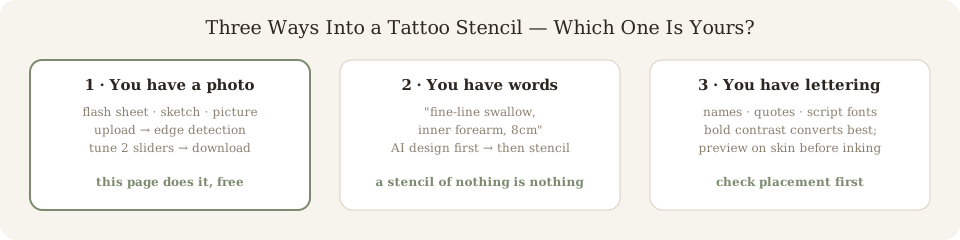
“tattoo stencil generator from photo” and “from text” are two different searches — and most tools quietly serve only one. Be honest about which one you have:
1 · You have an image
Photo, flash sheet, sketch, screenshot. This page does that — upload, run edge detection, download the outline.
Use the tool below ↑
2 · You have words, no image
“Fine-line swallow, inner forearm.” A stencil of nothing is nothing — generate the design with text first, then convert it here.
3 · You have a lettering / font idea
Text-to-stencil for lettering works best on bold, high-contrast type. Preview the script on your body before committing it to a stencil.
1. Upload Design
Click to upload image
PNG, JPG up to 10MB
2. Stencil Result
Stencil will appear here
Adjust Settings
Lower = more detail, Higher = cleaner lines
0 = no edge detection, 3 = strong outlines
Need More Control?
Need batch processing, custom line weights, or SVG export? Our Studio plan includes advanced stencil tools built for heavy workflow use.
View Studio PlanStencil Generators Are Edge Detection, Not AI Magic
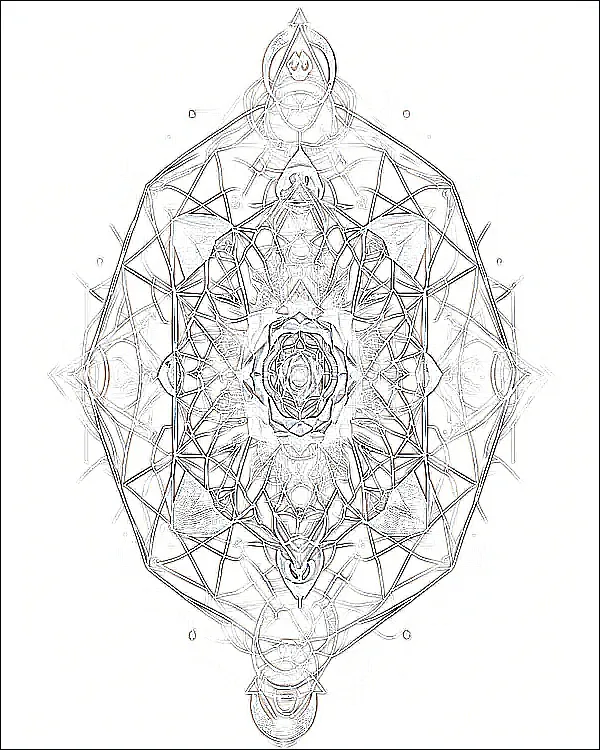
Every instant stencil tool — including this one — does roughly what a photocopier does: convert to grayscale, find sharp brightness changes (edges), and keep those lines while dropping everything else. That is why this page has two sliders instead of a magic button:
- Threshold decides how dark a pixel must be to become a stencil line. Too low and shading bleeds into solid blocks; too high and thin fine-line work disappears.
- Edge strength decides whether you get only the outline or a blend of outline plus the drawing's own values. Pure transfer stencils want the former.
What this honestly cannot do: rescue a blurry low-contrast photo, separate overlapping line weights, or replace your artist's judgment on line thickness. A tool that claims otherwise is selling you a black box.
Drag to Compare
← Original Design | Stencil Outline →
Explore More Tools
Design Generator
No design yet? Generate one from a sentence or a photo first — then bring the winner here.
Tattoo Simulator
Preview how any tattoo looks on your body before you commit. Upload a photo and try designs.
Tattoo Cover-up Designer
Design a cover-up for an existing tattoo. AI suggests patterns that work with your old ink.
Frequently Asked Questions
What file formats does the stencil generator accept?
Upload JPG, PNG, or WebP images up to 10MB. The generator works with photos, digital art, and hand-drawn sketches.
Can I use the stencil for a real tattoo?
The output is a clean outline suitable for transfer paper. Always have a licensed tattoo artist review and refine the stencil before inking.
Is the stencil generator free?
Yes. You get 3 free stencils per day. Pro plans offer higher resolution output and batch processing.
What's the difference between a stencil and the original design?
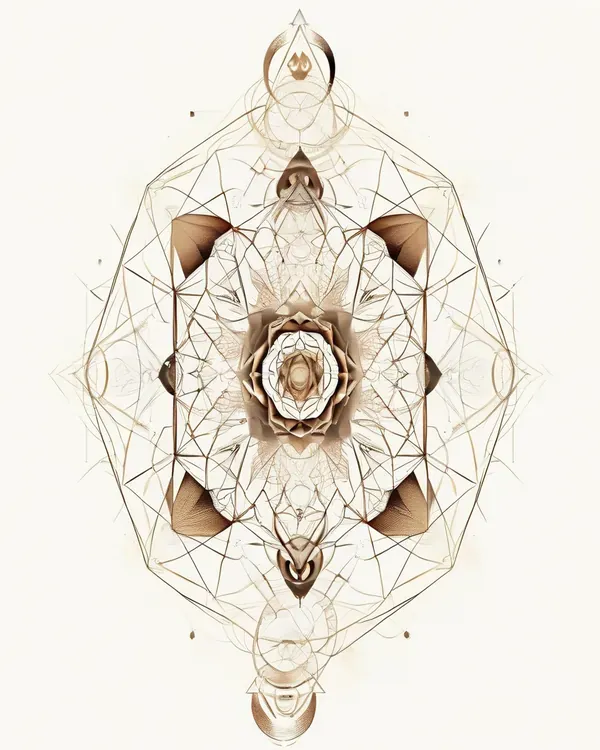
A stencil removes shading and color, leaving only the outline — the lines your tattoo artist will follow during the actual tattooing process.
What resolution should I print a tattoo stencil at?
Print the downloaded stencil at 100% scale (no fit-to-page) on A4 or letter paper. The generator exports high-contrast outlines that transfer cleanly with standard thermal or spirit transfer methods.
Do I need to mirror the stencil before transferring?
For most freehand and print-and-transfer workflows, yes — the design appears reversed on skin once transferred. Many artists flip the image in their printer settings; you can also ask the AI to preview the tattoo on your body first so the orientation is already decided.
Can the stencil generator turn a photo into a tattoo stencil?
Yes. Upload a photo and the outline extraction isolates the dominant shapes into clean lines. Results work best on high-contrast subjects; for detailed scenes, first generate a tattoo design in the simulator, then convert that.
What line thickness does the export use?
The generator outputs solid black outlines with a thickness that survives transfer: thick enough to stay unbroken on skin, thin enough to preserve detail. Adjust with the settings slider before downloading.
Can I resize a stencil for different body placements?
The exported file is scalable vector-clean artwork. A design that reads well on your forearm may need simplification for a wrist — preview the scaled version on the actual body area in the tattoo simulator before printing.
Does the stencil work with InkPreview's cover-up designer?
Yes. Generate cover-up tattoo designs over existing ink, preview them on your photo, then send the final choice through the stencil generator for a transfer-ready outline.
How do you make a tattoo stencil at home?
Upload your design to the generator, download the outline, print it at 100% scale on stencil (thermal copier) paper or hectograph paper, then transfer with stencil fluid or a skin-safe stick product. For real tattooing, a licensed artist should still do the transfer and adjust line weight.
How to make a tattoo stencil without transfer paper?
Print the generated outline on thin regular paper, hold it against the skin and trace the lines through with a skin-safe marker, or use the deodorant-and-paper method artists use for quick freehand guides. Results are less precise than proper stencil paper — fine for placement mockups, not for production.
Can I use a tattoo stencil generator from a photo?
Yes — 'from photo' is the most common use. High-contrast photos convert cleanly; blurry or low-contrast ones lose detail. If the extraction comes out noisy, crop tighter to the subject before uploading and raise the threshold slider.
Is there a free tattoo stencil maker app, or do I need one?
No app is needed for this — the generator runs entirely in your browser on phone or desktop, free and without sign-up. Dedicated stencil apps exist but mostly wrap the same edge-detection filter behind a subscription; a browser tool does the identical job.
Try the tattoo simulator to preview designs on your body, or browse tattoo ideas by style.